from aws lightsail rent a vps, I bought 512 MB RAM, 2 vCPUs, 20 GB SSD
choose the location for vpn
with specifications according to the need
(i chose)
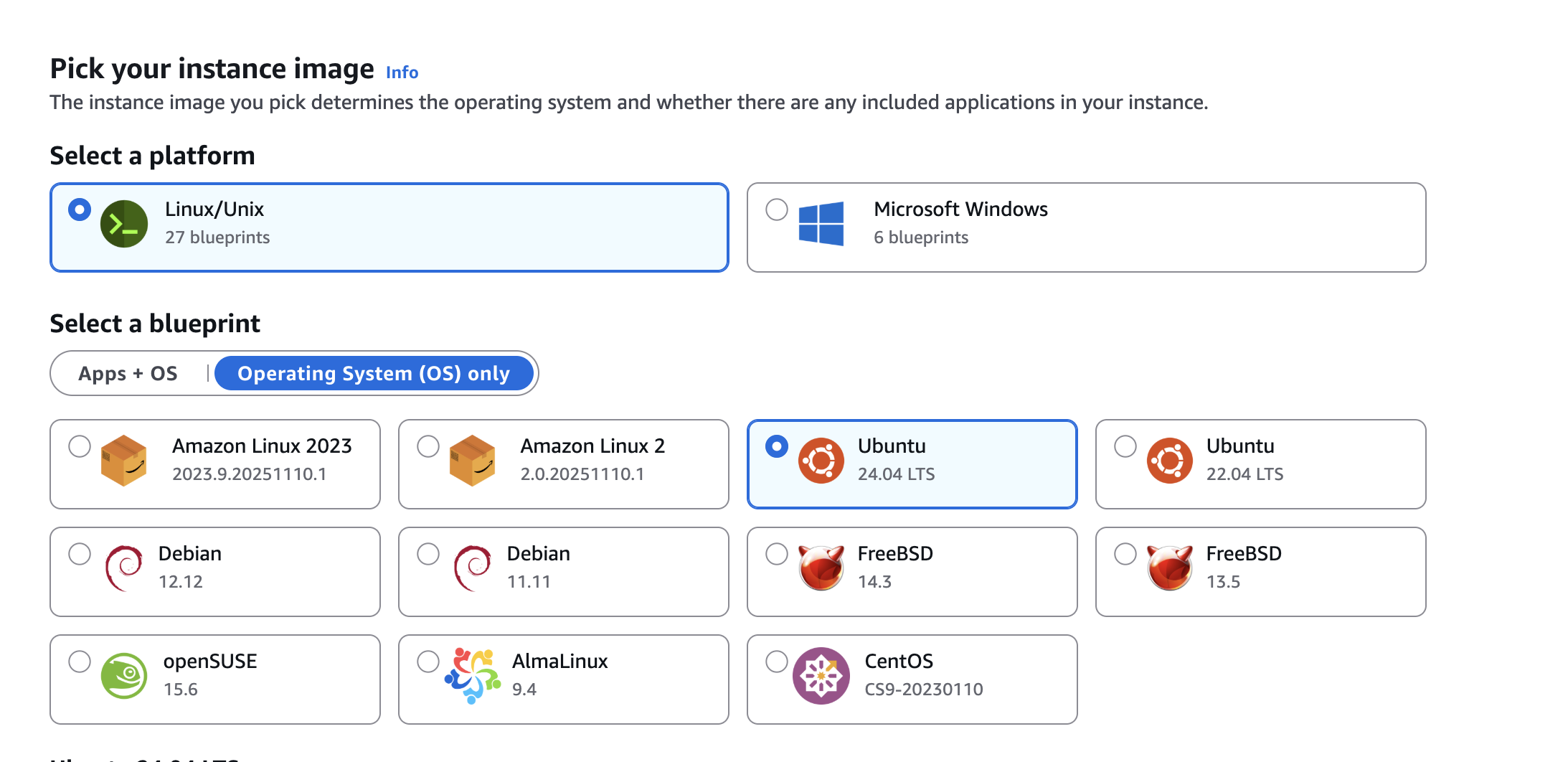
Installing wireguard
sudo apt update
sudo apt install wireguard
Generating public and private key
wg genkey | sudo tee /etc/wireguard/private.key
sudo chmod go= /etc/wireguard/private.key
And this command for public key, note that we generate the public key using the private key from the last step here.
sudo cat /etc/wireguard/private.key | wg pubkey | sudo tee /etc/wireguard/public.key
Find the public network interface
ip route list default
My terminal output, it could be different on your machienens5
dev **ens5** proto dhcp src xxx.xxx.xxx.xxx metric 100
Creating the wg0.conf configuration file
sudo nano /etc/wireguard/wg0.conf
[Interface]
Address = 10.8.0.1/24
PostUp = iptables -t nat -A POSTROUTING -o ens5 -j MASQUERADE
PostDown = iptables -t nat -D POSTROUTING -o ens5 -j MASQUERADE
ListenPort = 51820
PrivateKey = <Private_key_you_generated_in_the_previous_step>
Adjusting the server network configuration
edit the /etc/sysctl.conf
We only need to un-comment these lines by removing # at the beginning of these lines
net.ipv4.ip_forward=1
net.ipv6.conf.all.forwarding=1
after uncommenting the sysctl.conf, save it.
apply the saved changes
sudo sysctl -p
After this, start wireguard
sudo systemctl enable wg-quick@wg0.service
sudo systemctl start wg-quick@wg0.service
Download wireguard client
I downloaded it on macos from appstore
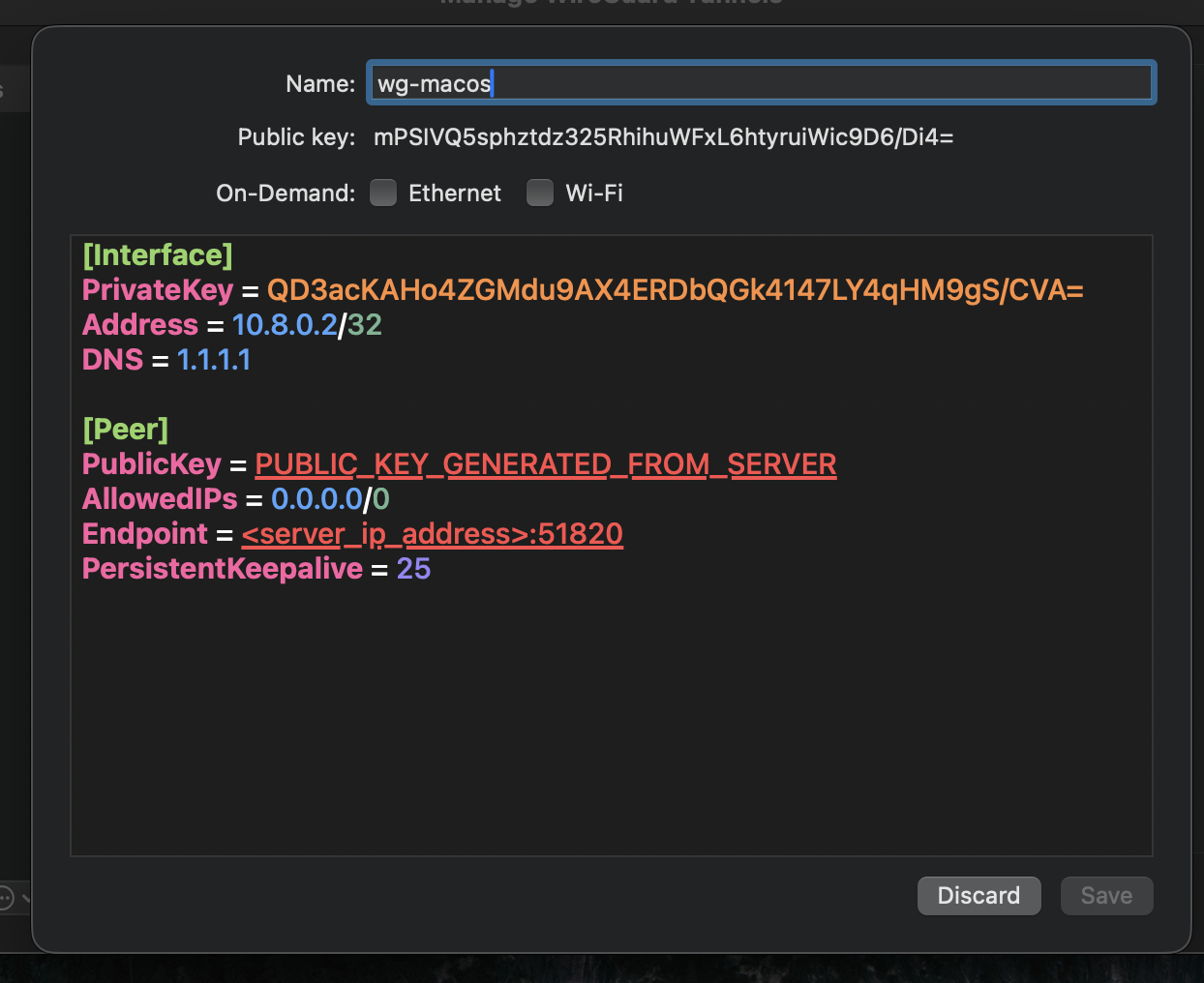
for me the endpoint is
EndPoint = 14.553.770.770:51820
Add custom UDP 51820 port in aws lighsail networking tab
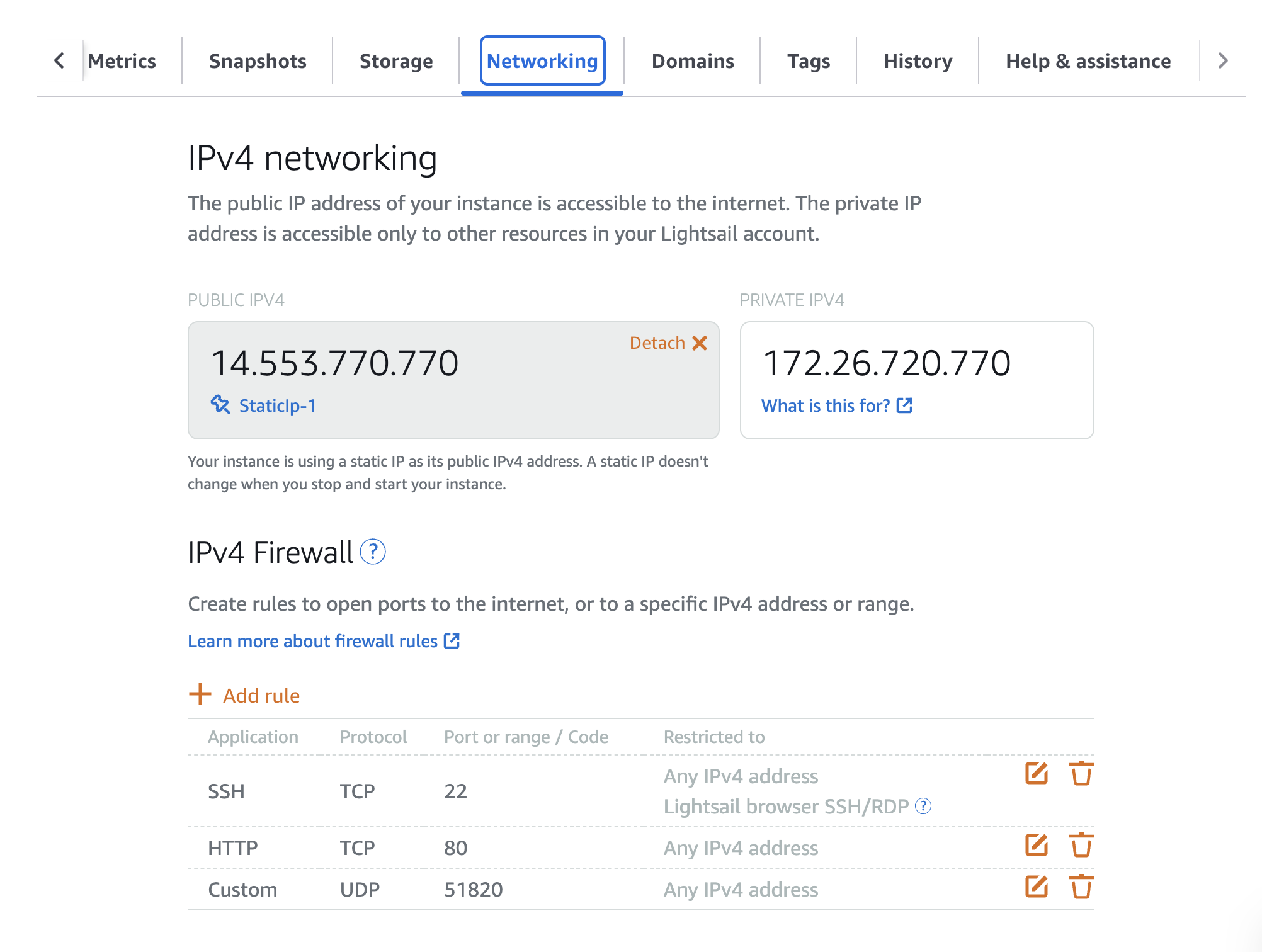
now we have to add the public key of the client macos into the [Peer] section of the wg.conf in the server
sudo nano /etc/wireguard/wg0.conf
[Interface]
Address = 10.8.0.1/24
PostUp = iptables -t nat -A POSTROUTING -o ens5 -j MASQUERADE
PostDown = iptables -t nat -D POSTROUTING -o ens5 -j MASQUERADE
ListenPort = 51820
PrivateKey = <Private_key_you_generated_in_the_previous_step>

[Peer]
PublicKey = mPSIVQ5sphztdz325RhihuWFxL6htyruiWic9D6/Di4=
AllowedIPs = 10.8.0.2/32
Restart after applying fixes
sudo systemctl restart wg-quick@wg0
Troubleshootings
cat /proc/sys/net/ipv4/ip_forward
It should output:
1
If it shows 0:
Enable permanently:
sudo nano /etc/sysctl.conf
Uncomment or add:
net.ipv4.ip_forward=1
Then apply:
sudo sysctl -p
Restart WG:
sudo systemctl restart wg-quick@wg0